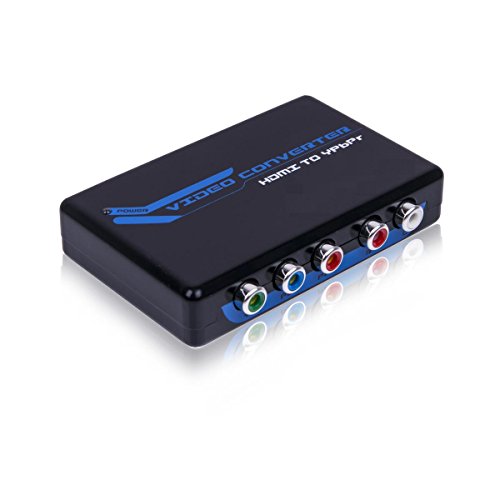
Portta PETHRV HDMI to Component YPbPr + R/L Audio Converter v1.3 1080P – Not for Windows 10
This converter box converts HDMI to Component Video (Y-Pb-Pr) and stereo audio. It allows you to enjoy your high definition movies and games on the older component TV’s or projectors that don’t have an HDMI input. It otters solutions for digital entertainment center, HDTV retail and show site, HDTV, STB, DW and Projector factory conference
This converter box converts HDMI to Component Video (Y-Pb-Pr) and stereo audio. It allows you to enjoy your high definition movies and games on the older component TV’s or projectors that don’t have an HDMI input. It otters solutions for digital entertainment center, HDTV retail and show site, HDTV, STB, DW and Projector factory conference room noise space and security concerns, data center control, information distribution presentation, school and corporate training environments.
Important:
Supported audio format: 2 channel analog audio, does not support digital audio May experience less than a one second lag. Will not convert audio only.
Product Features
- Ease to Use: Installs in seconds, no settings and it is a resolution pass-though converter It is purely for conversion between video formats but not convert the input/output video resolutions
- Audio output format: 2 channel LPCM; Compliant with HDMI 1.3 Support HDCP 1.2:
- Supports 165MHz/1.65Ghps per channel(6.75Gps all channel)bandwidth for HDMI Input’ HDMI resolutions 480Pat50/60Hz, 576Pat50/60Hz, 720Pat50/60Hz, 1080iat50/60Hz; Component Video resolutions 480Pat50/60Hz, 576Pat50/60Hz, 720Pat50/60Hz, 1080iat50/60Hz
- * Please find the connect steps as below: – Connect the HDMI source to the input of Converter. – Connect HDTV to the output of converter via Component cable – Plug one power supply into the Converter.
- * Buyer can try the following instruction to solve it if having problem for using the device. – Please try another power adapter if any. – Please try short HDMI Cable,such as 1m,2m. – Please try another component cable.


Comments