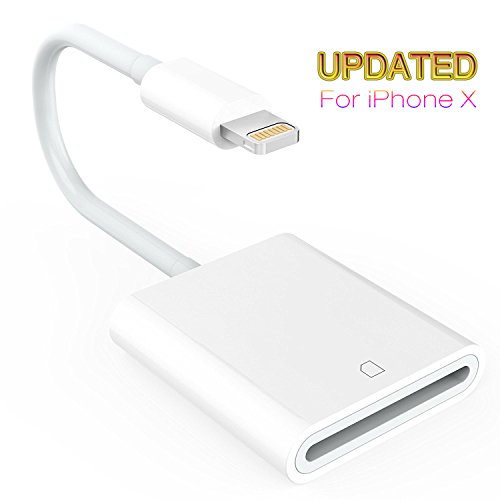
Lightning to SD Card Reader for iPhone iPad, Trail and Game Camera Card Reader Adapter Cable for iPhone, iPad Mini and iPad Air No App Required- IOS 9.2 or up to 10.3.2 [Updated Version]
Compatibility: For iphone models: iPhone7/7 Plus 6 /6s/6s Plus/5/5c/5s/SE For iPad Models: iPad mini/mini2/ Air/Air 2/mini 3/mini 4/Pro(12.9-inch)/Pro(9.7-inch) Why choose SD Card Camera Reader 1.Release the space of your SD card and Backup your SD card 2.Share your photos and videos of your camera on your social network freely. 3.For photographers,Save Time Much faster than
Compatibility:
For iphone models: iPhone7/7 Plus 6 /6s/6s Plus/5/5c/5s/SE
For iPad Models: iPad mini/mini2/ Air/Air 2/mini 3/mini 4/Pro(12.9-inch)/Pro(9.7-inch)
Why choose SD Card Camera Reader
1.Release the space of your SD card and Backup your SD card
2.Share your photos and videos of your camera on your social network freely.
3.For photographers,Save Time Much faster than using WiFi: Save money on the extra WiFi function for your camera.
4. Copy the movie from SD card to your iPhone & iPad and watch and edit them easily.
Specification:
Material: Plastic
Color: White
Total length: 4.7 inches
Wire length: 2.6 inches
Weight: 45 g
Package include:
1 * SD card camera reader for iPhone iPad
1 * Manual
Tips:
1. If photos or videos aren’t transferring, be sure the memory card is inserted properly into the Lightning to SD Card Camera Reader. Completely unplug the Lightning to SD Card Camera Reader and memory card, then reconnect them and try again.
2. Make sure the SD card is a good one. Please be noted the Wi-Fi SD card is not supported.
3. If you are using a mini or micro SD card with an adapter, make sure the adapter is a good one.
4. Check if the iOS is updated to iOS 9.2 or above for iPhone and iOS 8.0 or above for iPad.
5. If photos were not taken by the digital camera, use your computer, create a folder called “DCIM” to the root of your memory card. Copy the photos and videos into the DCIM folder. Rename each photo and video file as “IMG_XXXX”, where XXXX is a unique number. For example, if you had one JPG file and one .MOV file, name them “IMG_0001.JPG” and “IMG_0002.MOV”.
Product Features
- 【Updated Multi-Systems】8 Pin Lightning to SD card reader is compatible with all iPhone and iPad based on Newest System 10.3.2, supports Secure Digital (Standard SD and SDHC) and the memory cards capacity.
- 【High Speed Transmission】14MB/S~16MB/S. USB 2.0 speed. The best way to copy photos and video to camera in a short time, which can save much time than using WIFI. SD card camera reader can release much space of your SD card.
- 【Save Space】Be able to free up a ton of space on your phone at the same time, You can watch movies anywhere and anytime, in addition to the back up photos, can also be in the SD.
- 【Support photo& video formats】It can read photo formats both JPER and RAW, and it also be able to read the video including H.264 and MPEG-4 formats. Supporting SD card capacity less than 64GB (including 64GB, 4GB)
- 【Plug and Play】Pls wait for 5 seconds after connecting to your device. Then download photos and videos from SD card to your iPhone and iPad directly.


Comments